Comparing E-Readers Kindle vs Kobo
So, you're thinking about diving into the wonderful world of e-readers, huh? That's a fantastic idea! E-readers are game-changers for book lovers, making it super easy to carry an entire library in your pocket. But when it comes to picking one, you'll quickly find yourself in a classic showdown: Kindle vs. Kobo. These two brands dominate the market, and for good reason. They both offer excellent reading experiences, but they also have their unique quirks and features that might make one a better fit for you than the other. Let's break it all down, so you can make an informed decision and get back to reading!
Kindle vs Kobo The Ultimate E-Reader Showdown
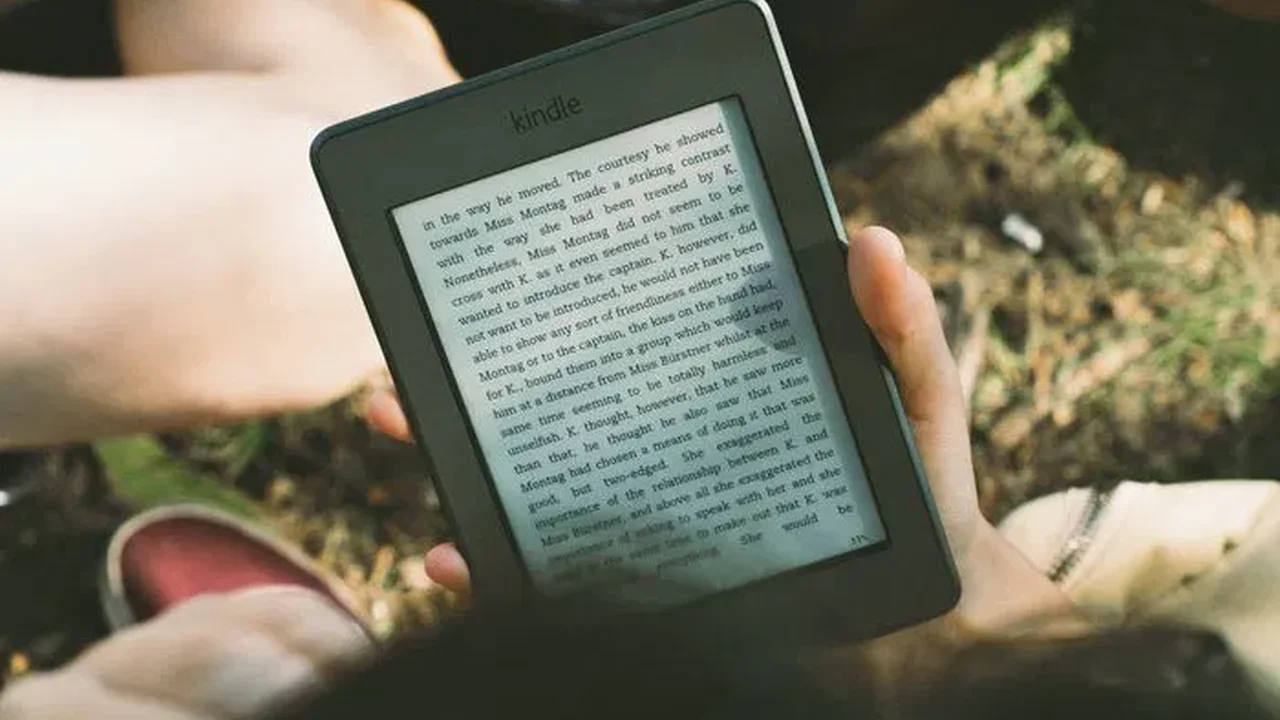
At a glance, both Kindle and Kobo devices look pretty similar. They're designed for one thing: reading. This means they prioritize features that enhance the reading experience, like glare-free screens, long battery life, and lightweight designs. However, the devil, as they say, is in the details. The ecosystems they operate within, the types of files they support, and even the subtle differences in their hardware can significantly impact your daily reading habits.
Understanding the Ecosystem Kindle's Amazon Advantage
When you buy a Kindle, you're not just buying a device; you're buying into the Amazon ecosystem. For many, this is a huge plus. Amazon's Kindle Store is massive, boasting millions of titles, often at competitive prices. If you're already an Amazon Prime member, you get access to Prime Reading, which offers a rotating selection of free books, and Kindle Unlimited, a subscription service for unlimited reading from a vast library. This integration is seamless. Buying a book on Amazon means it instantly appears on your Kindle, ready to read. This convenience is a major selling point for Kindle users.
However, this tight integration also means you're somewhat locked into Amazon's format. Kindle primarily uses its proprietary AZW3 and KFX formats. While you can convert other file types (like EPUB) to Kindle-compatible formats using tools like Calibre, it's an extra step. If you frequently get books from sources other than Amazon, this can become a minor annoyance. For many, though, the sheer volume and ease of access to Amazon's store outweigh this limitation.
Exploring Kobo's Open Approach and OverDrive Integration
Kobo, on the other hand, takes a more open approach. While Kobo also has its own bookstore, its biggest advantage for many readers is its native support for EPUB files. EPUB is the most common open e-book format, meaning if you get books from various online retailers or even free sources, they'll likely work directly on your Kobo without any conversion hassle. This flexibility is a huge draw for those who prefer not to be tied to a single vendor.
But Kobo's real killer feature, especially for budget-conscious readers or those who love their local library, is its built-in OverDrive integration. OverDrive allows you to borrow e-books directly from your public library, right from your Kobo device, without needing a computer or a separate app. This is incredibly convenient and can save you a lot of money on books. Imagine browsing your library's digital catalog, finding a book, and having it instantly appear on your e-reader – all without leaving your couch. That's the Kobo OverDrive experience.
Screen Technology and Reading Experience E Ink Displays Compared
Both Kindle and Kobo devices use E Ink screens, which are designed to mimic the look of real paper. This means they're glare-free, easy on the eyes, and consume very little power, leading to weeks of battery life. However, there are subtle differences in their screen technology and how they handle lighting.
Most modern Kindles feature adjustable front lights, allowing you to read comfortably in various lighting conditions. Some premium Kindle models, like the Kindle Oasis, also include an adaptive front light that automatically adjusts brightness based on your surroundings, and a warm light setting that reduces blue light exposure for more comfortable nighttime reading. This warm light feature is a big win for many users who read before bed.
Kobo devices also offer excellent front lighting. Many Kobo models, including the popular Kobo Clara 2E and Kobo Libra 2, feature ComfortLight PRO, which allows you to adjust both the brightness and the color temperature of the screen. This means you can shift from a cool blue light during the day to a warmer, more orange light in the evening, similar to Kindle's warm light. Kobo's implementation is often praised for its natural feel and wide range of adjustment.
In terms of screen resolution, both brands offer devices with excellent pixel density, ensuring sharp text that's easy to read. The choice often comes down to personal preference for screen size and the specific lighting features you prioritize.
Design and Ergonomics Comfort in Your Hand
E-readers are meant to be held for extended periods, so design and ergonomics are crucial. Both Kindle and Kobo offer a range of designs, from compact and lightweight to larger, more premium models.
Kindle's standard models, like the basic Kindle and Kindle Paperwhite, are generally symmetrical and designed for two-handed or single-handed use. The Kindle Oasis stands out with its asymmetrical design, featuring a thicker side with physical page-turn buttons and an auto-rotating screen. This design is often lauded for its comfort, especially for one-handed reading, as the weight is shifted to the side where you hold it.
Kobo also offers a variety of designs. The Kobo Clara 2E is a compact, symmetrical device, similar to the Kindle Paperwhite. The Kobo Libra 2 and Kobo Sage, however, feature an asymmetrical design with physical page-turn buttons, much like the Kindle Oasis. Many users prefer physical buttons over tapping the screen, as it provides tactile feedback and can be more comfortable during long reading sessions. Kobo also tends to offer more waterproof models across its lineup, which is a great feature for poolside or bathtub readers.
The materials used also vary. Some Kindles and Kobos feature plastic bodies, while premium models might incorporate more refined finishes. Ultimately, the best design for you will depend on your hand size, how you prefer to hold your device, and whether physical buttons are a must-have.
Battery Life and Storage Capacity Reading for Weeks
One of the biggest advantages of E Ink e-readers is their incredible battery life. Because the screen only uses power when the image changes, you can typically get weeks of reading on a single charge, not hours. Both Kindle and Kobo devices excel here, with most models offering several weeks of battery life, depending on your usage of the front light and Wi-Fi.
Storage capacity is another important consideration, especially if you plan to carry a large library with you. Most entry-level Kindles and Kobos come with 8GB of storage, which is enough for thousands of e-books. If you're into audiobooks (which some premium models support) or graphic novels, you might want more. Some models offer 16GB or even 32GB of storage. For the vast majority of readers, 8GB is more than sufficient, as e-book files are relatively small.
Specific Product Recommendations and Use Cases
For the Casual Reader and Budget Conscious
Kindle Basic 2022 Model
Use Case: If you're new to e-readers, primarily buy books from Amazon, and want the most affordable entry point, the Kindle Basic is an excellent choice. It's lightweight, compact, and offers a sharp 300 ppi display with an adjustable front light. It's perfect for reading in bed, on your commute, or just relaxing at home. It doesn't have warm light or waterproofing, but for its price, it's a fantastic value.
Price: Around $99.99 USD
Kobo Clara 2E
Use Case: For those who prefer Kobo's open ecosystem, OverDrive integration, and want a compact, waterproof device without breaking the bank, the Kobo Clara 2E is a strong contender. It features a 6-inch 300 ppi E Ink Carta 1200 screen, ComfortLight PRO (warm light), and 16GB of storage. It's also made with recycled plastics, which is a nice bonus for the environmentally conscious. Great for reading anywhere, including by the pool or in the bath.
Price: Around $139.99 USD
For the Avid Reader and Feature Seeker
Kindle Paperwhite 2021 Model
Use Case: This is arguably Amazon's most popular e-reader, striking a great balance between features and price. It boasts a larger 6.8-inch display, adjustable warm light, and IPX8 waterproofing. If you read a lot, appreciate a slightly larger screen, and want the comfort of warm light for nighttime reading, the Paperwhite is a fantastic upgrade from the basic Kindle. It's still very portable but offers a more premium reading experience.
Price: Around $149.99 USD
Kobo Libra 2
Use Case: If you love Kobo's features (especially OverDrive and EPUB support) and want an ergonomic design with physical page-turn buttons, the Kobo Libra 2 is your go-to. It has a 7-inch 300 ppi E Ink Carta 1200 screen, ComfortLight PRO, IPX8 waterproofing, and supports audiobooks via Bluetooth. Its asymmetrical design makes one-handed reading incredibly comfortable. This is a great choice for long reading sessions and those who prefer tactile controls.
Price: Around $189.99 USD
For the Premium Experience and Note-Takers
Kindle Oasis 2019 Model
Use Case: The Kindle Oasis is Amazon's premium offering, known for its sleek metal design, asymmetrical shape with physical page-turn buttons, and adaptive front light with warm light. It's incredibly thin and light on one side, making it very comfortable to hold. While it hasn't been updated in a while, it still offers a top-tier reading experience for those who prioritize design and comfort. It's also waterproof.
Price: Around $249.99 USD
Kobo Sage
Use Case: The Kobo Sage is Kobo's most advanced e-reader, designed for both reading and note-taking. It features an 8-inch 300 ppi E Ink Carta 1200 screen, ComfortLight PRO, IPX8 waterproofing, and Kobo Stylus support (sold separately). If you like to annotate books, take notes, or even sketch, the Sage offers a versatile experience. It also supports audiobooks via Bluetooth and has the same ergonomic design as the Libra 2. This is perfect for students, academics, or anyone who wants more than just a reading device.
Price: Around $269.99 USD (stylus extra)
File Format Compatibility and Sideloading Books
This is a big one for many readers. As mentioned, Kindles primarily prefer Amazon's proprietary formats (AZW3, KFX). They also support MOBI and PDF, though PDF support can be clunky on smaller screens. If you have EPUB files, you'll need to convert them. Amazon recently added the ability to send EPUB files directly to your Kindle via email, which is a step in the right direction, but they are still converted to Amazon's format on their servers.
Kobo, on the other hand, natively supports EPUB, EPUB3, PDF, MOBI, JPEG, GIF, PNG, BMP, TIFF, TXT, HTML, and RTF. This broad compatibility means you can easily transfer books from almost any source directly to your Kobo without worrying about conversions. This flexibility is a significant advantage for readers who source their books from various places, including independent bookstores or free e-book sites.
Audiobook Support Listening to Your Stories
Audiobooks have become incredibly popular, and some e-readers are now incorporating support for them. On the Kindle side, only the Kindle Oasis and Kindle Paperwhite (10th and 11th generation) support Audible audiobooks via Bluetooth headphones or speakers. You'll need an Audible subscription and to purchase audiobooks through Audible.
Kobo's approach to audiobooks is a bit different. Models like the Kobo Libra 2 and Kobo Sage support Kobo Audiobooks, which you can purchase directly from the Kobo Store. These devices also connect to Bluetooth headphones or speakers. While Kobo's audiobook selection might not be as vast as Audible's, it offers another option for those who prefer to keep their digital content within the Kobo ecosystem.
User Interface and Software Experience Navigating Your Library
Both Kindle and Kobo offer clean, intuitive user interfaces designed for easy navigation. Kindle's interface is very Amazon-centric, with prominent links to the Kindle Store and your Amazon library. It's straightforward and easy to learn, especially if you're already familiar with Amazon's ecosystem.
Kobo's interface is also user-friendly, with a focus on your library and reading statistics. The OverDrive integration is seamlessly woven into the UI, making it easy to browse and borrow library books. Kobo also offers more customization options for fonts, margins, and line spacing, allowing you to fine-tune your reading experience to a greater degree. Some users find Kobo's interface to be slightly more customizable and less intrusive with store recommendations.
Special Features and Unique Selling Points
Kindle's Unique Features
- Whispersync: Seamlessly syncs your furthest read page, bookmarks, and notes across all your Kindle devices and apps.
- Goodreads Integration: Connect with the Goodreads community, see what your friends are reading, and track your reading progress.
- X-Ray: Provides a deeper look into books, offering information about characters, historical figures, terms, and more.
- Vocabulary Builder: Automatically saves words you look up in the dictionary, creating flashcards for you to review.
Kobo's Unique Features
- OverDrive Integration: As mentioned, this is a huge advantage for library users, allowing direct borrowing of e-books.
- Pocket Integration: Save articles from the web to read later on your Kobo, perfect for catching up on long-form content.
- Extensive Customization: More options for font choices, line spacing, and margin adjustments to personalize your reading view.
- Note-taking (on select models): Kobo Sage and Kobo Elipsa offer stylus support for handwriting notes directly on your e-books or in notebooks.
Which E-Reader is Right for You Making the Choice
So, after all this, how do you choose? It really boils down to your priorities and reading habits.
Choose a Kindle if:
- You're deeply invested in the Amazon ecosystem and buy most of your books from the Kindle Store.
- You're an Amazon Prime or Kindle Unlimited subscriber.
- You prioritize a simple, straightforward reading experience with excellent hardware.
- You want access to Audible audiobooks on select models.
- You appreciate features like X-Ray and Vocabulary Builder.
Choose a Kobo if:
- You want the flexibility of an open ecosystem and native EPUB support.
- You frequently borrow e-books from your public library via OverDrive.
- You prefer physical page-turn buttons and an ergonomic design (on models like Libra 2 and Sage).
- You value extensive customization options for your reading display.
- You're interested in note-taking capabilities (on models like Sage and Elipsa).
- You want a waterproof device across more of the lineup.
Ultimately, both Kindle and Kobo offer fantastic e-readers that will enhance your reading life. There's no single 'best' option; it's about finding the device that aligns best with your personal preferences, your existing digital library, and how you plan to acquire new books. Take some time to consider what features are most important to you, and you'll be well on your way to enjoying countless hours of digital reading pleasure.
:max_bytes(150000):strip_icc()/277019-baked-pork-chops-with-cream-of-mushroom-soup-DDMFS-beauty-4x3-BG-7505-5762b731cf30447d9cbbbbbf387beafa.jpg)